

Flat over the page
For letters, bills, books and menus. Glide it along the line.
Attach it, open the magnifier, and set it on the page. Help for each step is below.
Short silent video: SightStand snaps onto the back of a phone, its legs fold open, the magnifier app is opened, and the phone stands over a business card showing the print enlarged.

It snaps onto the back with a magnet. No MagSafe? See if you need the metal ring.

It comes free on your phone. The quickest ways to open it.

Open the legs and rest it on the page. Zoom in until the words are big enough.
How the legs open, how SightStand snaps on, and the three ways to read with it.
Welcome, and thanks for buying SightStand. SightStand is comfortable to hold, with a rubber back where the magnet is. The legs snap open and into place. They're designed to snap off and back on, in case it takes a fall while open: just pop the leg back on.
Snap SightStand straight onto your phone, then pop the legs open. Open your magnifier app, which is already on your phone, and rest it on top of what you want to read.
Then, with music: SightStand flat over a business card, standing up, and on its side.

Every iPhone comes with a free app called Magnifier. Three quick ways to open it:
TipDrag the Magnifier app onto the first home screen, so it's always one tap away.
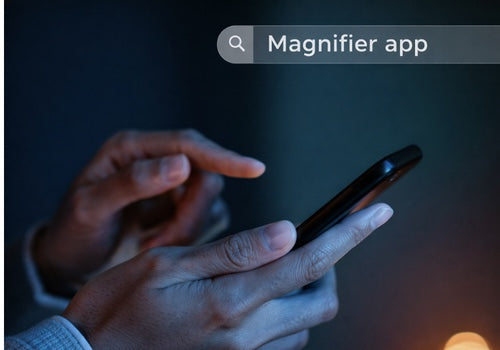
Newer Android phones come with a magnifier app. If yours doesn't have one, it's free in the Play Store.
SightStand snaps on with a magnet. Pick your phone to see what to do.
Hold SightStand over the MagSafe circle on the back and let go. Nothing to stick on.
TipIn a MagSafe case, the metal ring makes the hold even stronger.
Stick the ring from the box on the back of the case, halfway between the bottom of the camera bump and the bottom of the phone. Then SightStand snaps on. How to stick it on
Stick the ring from the box on the back of your phone, or of its case, halfway between the bottom of the camera bump and the bottom of the phone. Then SightStand snaps on. How to stick it on
Not sure? Hold SightStand against the back of your phone. If it snaps into place and holds, you don't need the ring. It holds on smooth cases only. Wallet cases, textured cases and anything sticking out, like a PopSocket, won't hold well.
TipThe ring makes the hold stronger on MagSafe cases too.
To find your magnifier, a quick search will do the trick. If it isn't there, you may have to download it.
SightStand uses a high-strength MagSafe magnet to snap directly onto phones or cases with MagSafe. Not all phones or cases have MagSafe, so there's a metal adapter plate in the box, so SightStand works with any phone. The plate has a strong adhesive backing, so you can stick it directly to your phone or case. You've probably seen this ring pattern before: they're the same, and they all work with SightStand.

Find your magnifier and attach the ringWith captions
Some phone cameras can't focus this close to the page. The lens in the box fixes that.

Clip on the lensMusic only. What it shows: the lens is clipped over the main camera, then the blurry business card on screen turns sharp.
For letters, bills, books and menus. Glide it along the line.

For pill bottles and labels. Hold them behind the phone and turn them slowly.

To see a whole paragraph at once.
The Magnifier app has more than zoom. On iPhone:


Email us and we'll walk you through it. If something is broken, we replace it.